google starbucks wifi laptop

Title: Konektivitas-jaringan Wifi Starbucks Google Connect Starbucks Wi-Fi dari Google Berhasil 100
Channel: TECH CUSTOMER SUPPORT
Konektivitas-jaringan Wifi Starbucks Google Connect Starbucks Wi-Fi dari Google Berhasil 100 by TECH CUSTOMER SUPPORT
Starbucks WiFi: Laptop Paradise Found (or Lost)?
Starbucks Wi-Fi: The Digital Nomad's Siren Song (and its Hidden Reefs)
Imagine this: You're nestled in a plush armchair, the aroma of freshly brewed coffee swirling around you. Sunlight streams through the window. Your laptop hums beside you, a portal to productivity, connection, and maybe, just maybe, a little bit of online shopping. You’re at your local Starbucks, and the Wi-Fi beckons. But is this the digital promised land, or a digital desert in disguise?
The Allure of the Siren's Song: Free Wi-Fi and the Freelancer's Dream
The draw is undeniable. Starbucks, with its ubiquitous presence, offers a haven for the modern worker. Free Wi-Fi access is a massive perk. Consequently, the coffee shop transforms into a temporary office space. It’s ideal for freelancers, students, and anyone seeking a change of scenery. Furthermore, the accessibility is king. Almost every corner of the world has a Starbucks. You can work from anywhere, at any time. That's incredibly appealing, right? The lure of this accessibility is strong. The freedom to escape the confines of a traditional office is a powerful motivator. It's a chance to be your own boss, set your own hours, and work from a place that feels a little more…alive. The convenience is a huge driving force.
Navigating the Digital Waters: Speed, Stability, and the Wi-Fi Gods
However, the reality, sadly, isn't always as idyllic. While free Wi-Fi is the carrot, the stick can be a frustrating internet connection. The speed of the Wi-Fi is often inconsistent. At peak hours, you'll feel like you're wading through molasses online. Downloads crawl, video calls stutter, and patience dwindles. Then again, sometimes, it is surprisingly fast.
Moreover, the stability of the connection is another concern. The connection can drop at the most inopportune moments. Imagine trying to upload a crucial file or join an important meeting. It is a nightmare scenario for any digital worker. So, before you commit to a full workday, test the Wi-Fi. See what kind of speeds you are getting. Therefore, determine if it is dependable for your needs. This can save you a lot of unnecessary stress.
The Atmosphere Factor: Coffee Shop Chaos and the Productivity Paradox
Beyond the technical aspects, there’s the ambience to consider. Coffee shops are, inevitably, social spaces. This means noise and distractions. The constant hum of conversations, the clatter of cups, and the occasional burst of music can disrupt focus. It’s a very different environment from the quiet solitude of your home office.
Consequently, the very thing that attracts us—the lively atmosphere—can also be a productivity killer. For some, the background noise is a constant distraction. For others, it's white noise, which helps focus. Therefore, assess your own work style. Consider whether you thrive in a bustling environment or crave absolute silence.
Power Outlets and the Quest for the Elusive Plug
Another crucial element is access to power outlets. Finding a free outlet can sometimes feel like winning the lottery. Especially during busy periods, outlets are in high demand. People vie for the precious wall sockets. That's why you need to plan ahead. Arrive early, scout the location, and secure your spot. Consider a fully charged laptop, as well. A portable power bank can also be a lifesaver. This way, you don't get stranded with a dead battery.
The Verdict: Finding Your Digital Sanctuary
So, is Starbucks Wi-Fi a laptop paradise or a digital purgatory? The answer, of course, is nuanced. It depends on your personal preferences, your tolerance for distractions, and your internet needs. It's about managing expectations and being prepared.
To make the most of your Starbucks work sessions, consider these tips. First, check the Wi-Fi speed and stability before you settle in. Second, bring noise-canceling headphones for improved focus. Thirdly, arrive early to snag a good seat with an outlet. Finally, be mindful of the coffee shop etiquette.
Ultimately, the goal is to find a balance. You can use Starbucks as a tool to enhance your productivity. It's an opportunity to experience work differently. Whether you find a digital sanctuary or a temporary setback, the experience is what you make of it. Choose wisely, and may your Wi-Fi always be strong.
HP Mini 210 WiFi Driver: Download & Fix Your Connection NOW!Starbucks WiFi: Laptop Paradise Found (or Lost)?
Ah, Starbucks. The siren song of caffeine, the comforting aroma of roasted beans, and… Wi-Fi. For many of us, the promise of free internet is a key ingredient in the Starbucks experience. We’ve all been there, laptops open, fingers flying across the keyboard, fueled by a latte and the hope of productivity. But is Starbucks Wi-Fi truly the digital oasis it’s cracked up to be? Does it deliver on its promise of a laptop paradise, or are we setting ourselves up for frustration and a slow, painful internet experience? Let's dive in, shall we?
1. Setting the Stage: The Allure of the Starbucks Workspace
Let's be honest, the appeal is undeniable. A comfortable chair, the gentle hum of conversation, the availability of coffee – it's a far cry from the sterile environment of a home office or the distractions of a bustling co-working space. Starbucks has cultivated an atmosphere that seems to scream “work here!” It's a vibe, a feeling, a carefully curated experience designed to make us want to open our laptops and get things done. This sets the stage for our exploration: Can the promise of Wi-Fi live up to the atmosphere's expectations?
2. The Promise of Free Connectivity: A Basic Requirement
The cornerstone of this laptop paradise is, of course, free Wi-Fi. In an increasingly connected world, access to the internet is less a luxury and more a necessity. Whether you’re a freelancer, a student, or just someone trying to catch up on emails, the promise of free Wi-Fi is incredibly enticing. It's like a digital lifeline, allowing us to stay connected, productive, and, dare I say, entertained. Free Wi-Fi is the price of entry into the Starbucks workspace game.
3. The Reality Check: Speed and Reliability – The Heart of the Matter
Here's where things often get… interesting. The reality of Starbucks Wi-Fi can sometimes be a stark contrast to the utopian vision we have in our heads. Speed and reliability are the two pillars that determine the true quality of any Wi-Fi connection. Does it load pages at a snail's pace? Does it randomly disconnect, forcing us to restart our work? This is where the dream can start to crumble. It isn't like a high-speed highway; more like a country lane during rush hour.
4. Peak Hours vs. Quiet Times: A Tale of Two Connections
The time of day significantly impacts the Wi-Fi experience. During peak hours, when the cafe is buzzing and everyone's vying for bandwidth, the connection can be sluggish and unreliable. It's like trying to squeeze through a crowded door – you'll likely have to wait your turn. Early mornings or late afternoons, when the cafe is less populated, offer a much smoother experience. It's like having the entire highway to yourself.
5. The Impact on Productivity: Does Wi-Fi Hinder or Help?
Let's get real: slow Wi-Fi is the enemy of productivity. Constant buffering, dropped connections, and endless loading screens can derail even the most focused individual. It's enough to make you want to toss your laptop out the window (metaphorically speaking, of course!). But when the Wi-Fi cooperates, Starbucks can be a productivity powerhouse. It is our companion, sometimes for good, sometimes for bad.
6. Security Concerns: Protecting Your Digital Life
Free Wi-Fi comes with inherent security risks. Public networks are often vulnerable to hacking and data breaches. Think of it as walking through a crowded city street; you have to be aware of your surroundings and take precautions to protect yourself. We need to be mindful of the potential for malicious activity. Consider using a VPN (Virtual Private Network) to encrypt your internet traffic and protect your sensitive information.
7. Troubleshooting Tips: Making the Most of Your Connection
Even with the best intentions, Wi-Fi can still give you trouble. Here are a few troubleshooting tips to keep in your digital toolkit:
- Restart your device: Sometimes, the simplest solution is the best.
- Forget and reconnect to the network: This can often refresh your connection.
- Check the signal strength: Make sure you're close enough to the router.
- Close unnecessary applications: Background apps can consume bandwidth.
- Contact Starbucks staff: They might be able to offer assistance.
8. Comparing Starbucks Wi-Fi to the Competition: A Competitive Landscape
How does Starbucks stack up against the Wi-Fi offerings of its competitors? Many other coffee shops and cafes also provide free Wi-Fi. Some might boast faster speeds or more reliable connections. The best option largely depends on your needs. Considering alternatives is a key step in finding your optimal Wi-Fi sanctuary.
9. The Hidden Costs of Free Wi-Fi: What We Sacrifice
While free is generally attractive, there are often hidden costs. In this case, the cost is often our personal data. Starbucks may collect data on your browsing habits, which could be used for targeted advertising or other purposes. It's essential to be aware of these trade-offs and make informed decisions.
10. Beyond Wi-Fi: Other Amenities and Their Impact
Starbucks offers more than just Wi-Fi. The availability of power outlets, comfortable seating, and a pleasant atmosphere all contribute to the laptop paradise experience. These small details can make a big difference in our comfort and productivity.
11. User Reviews and Experiences: Real-World Perspectives
What do other users think of Starbucks Wi-Fi? Sharing experiences and insights is invaluable. Online reviews and forums offer a wealth of information about the real-world performance of Starbucks Wi-Fi in different locations. The more information you have, the more informed your decision can be.
12. The Future of Starbucks Wi-Fi: What's Next?
Will Starbucks continue to invest in its Wi-Fi infrastructure? Are they exploring new technologies to improve speed and reliability? It will be an interesting area to watch.
13. The Perfect Storm: When Starbucks Wi-Fi Shines
There are times when everything aligns, when the Wi-Fi is fast, the coffee is perfect, and the world seems to melt away. This is the magic of the Starbucks workspace, the digital nirvana we all crave.
14. The Verdict: Is Starbucks Wi-Fi a Paradise?
So, is Starbucks Wi-Fi a laptop paradise? The answer, like most things in life, is nuanced. It's not always perfect, but it can be a valuable resource for those seeking a productive and inspiring workspace. It depends on location, time, and your own digital needs.
15. Final Thoughts: Navigating the Digital Landscape
Navigating the digital landscape of Starbucks Wi-Fi requires a little bit of savvy and a healthy dose of patience. With the right expectations and a few handy troubleshooting tips, you can make the most of this free resource and create your own laptop paradise, one latte at a time.
Closing Section
So, there you have it – a deep dive into the world of Starbucks Wi-Fi. We've explored the good, the bad, and the occasionally frustrating. Remember, the experience will vary from location to location, and your mileage may vary. But, hopefully, armed with this knowledge and a little bit of coffee-fueled optimism, you can confidently approach your next Starbucks work session and find the Wi-Fi experience that suits you best.
FAQs
1. Is Starbucks Wi-Fi truly free?
Yes, Starbucks offers free Wi-Fi to its customers. However, be aware of potential security risks and consider using a VPN for added protection.
2. How can I troubleshoot slow Starbucks Wi-Fi?
Try restarting your device, forgetting and reconnecting to the network, closing unnecessary applications, and ensuring you are close enough to the router. If the problem persists, contact Starbucks staff.
3. Is Starbucks Wi-Fi secure?
Public Wi-Fi networks, including Starbucks Wi-Fi, are often vulnerable to security risks. Consider using a VPN to encrypt your internet traffic and protect your data.
4. Does the time of day affect the Wi-Fi speed?
Yes, the Wi-Fi speed is generally slower during peak hours when the cafe is busy. Early mornings or late afternoons typically offer a better connection.
5. Are there any alternatives to Starbucks Wi-Fi?
Yes, many other coffee shops and cafes offer free Wi-Fi. Research the options in your area to find the best fit for your needs.
- Principal Keywords: Starbucks WiFi, Laptop Paradise.
- SEO Headline: Starbucks WiFi: Laptop Paradise Found or Lost?
- Pathway: Starbucks WiFi.
- Meta Summary: Is Starbucks WiFi a laptop paradise? Explore speed, security, and the pros & cons of working at Starbucks. Find helpful troubleshooting tips and the best alternatives.
- Image Alt Text: A person happily working on a laptop at a Starbucks, surrounded by coffee cups, and a cheerful atmosphere.
ini Password WIFI Starbucks

By agenshit ini Password WIFI Starbucks by agenshit
Masalah Wifi Laptop Tidak Conect, Wifi Laptop tidak Jalan & Etc

By Laptop Labs Masalah Wifi Laptop Tidak Conect, Wifi Laptop tidak Jalan & Etc by Laptop Labs
Perbaikan WIFI Starbucks
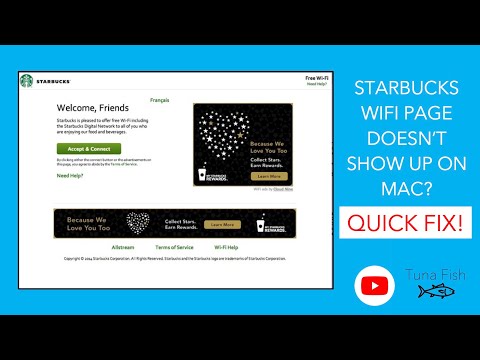
By Tuna Fish Perbaikan WIFI Starbucks by Tuna Fish

Title: Solusi Daftar Wifi Laptop Tidak Muncul di Windows 11 dan Windows 10 tutorial Internet
Channel: Rifki Els
Solusi Daftar Wifi Laptop Tidak Muncul di Windows 11 dan Windows 10 tutorial Internet by Rifki Els
Laptop Wifi Hotspot
Starbucks WiFi: Laptop Paradise Found (or Lost)?
We've all been there. The siren song of a perfectly brewed latte, the promise of free WiFi humming in the air, and the gleam of a laptop screen beckoning us to productivity (or perhaps, a Netflix binge). Starbucks, in many ways, has become synonymous with the modern-day digital nomad's office, the quiet corner where ideas are born, and deadlines are (hopefully) met. But the reality of working or browsing at Starbucks, particularly concerning its WiFi service, is a complex tapestry woven with threads of convenience, connection, and occasionally, crushing frustration. Let's dive in, shall we?
The Allure of the Starbucks Connection: A Digital Oasis?
The initial draw is undeniable. Free WiFi. In a world increasingly tethered to the internet, the availability of a readily accessible, gratis online portal is a powerful magnet. For freelancers, students, and anyone with a need to work remotely, the prospect of escaping the confines of a stuffy home office or the sterile environment of a library is incredibly appealing. Starbucks offers a welcome respite. We, as digital citizens, are drawn to the promise of connection, the ability to check emails, collaborate on projects, and access the vast ocean of information that the internet provides. The aroma of coffee, the gentle hum of conversation, and the visual backdrop of a bustling cafe can, at their best, create a surprisingly conducive atmosphere for focused work. But is this ideal picture always a reality?
Unpacking the WiFi Experience: Speed, Stability, and the Soul of Patience
Let's be candid. The quality of Starbucks WiFi varies, sometimes dramatically, depending on a multitude of factors. The specific location of the store is paramount. A high-traffic, downtown Starbucks will likely struggle to deliver the same blazing speeds as a quieter suburban branch. Peak hours, unsurprisingly, tend to be the bane of the WiFi user. The sheer volume of concurrent users, all vying for bandwidth, can slow connections to a near crawl. Uploading large files, attending video conferences, or streaming high-definition videos can become exercises in patience. We've all experienced the spinning wheel of death, the frustrated sigh escaping our lips as a webpage sluggishly loads, or an important email refuses to send.
The technology itself also plays a crucial role. Older Starbucks locations may be equipped with outdated routers and insufficient bandwidth, contributing to a less-than-stellar WiFi experience. Even in well-equipped stores, signal strength can fluctuate. The proximity to the router, the presence of physical obstructions, and even the number of devices connected to the network can all impact the stability and speed of the connection.
Beyond Speed: Security Concerns in the Public Domain
Free WiFi, while convenient, always carries inherent security risks that we must acknowledge. Public networks, like the ones offered by Starbucks, are often less secure than private home networks. Without proper precautions, sensitive information – passwords, banking details, personal correspondence – can become vulnerable to interception by malicious actors. We must be diligent in protecting ourselves. Using a Virtual Private Network (VPN) is a highly recommended practice when connecting to any public WiFi. A VPN encrypts your internet traffic, creating a secure tunnel that protects your data from prying eyes.
Furthermore, maintaining a strong password hygiene is essential. Avoid using easily guessable passwords, and always opt for two-factor authentication whenever available. Regularly updating your device's operating system and security software can also help to mitigate the risk of cyberattacks. Being mindful of the websites we visit and the files we download is equally crucial. We should exercise caution when clicking on links or downloading attachments, especially from unknown sources.
Navigating the Fine Print: Understanding Starbucks' Network Policies
Starbucks' WiFi service often comes with terms and conditions, which, let’s be honest, few of us actually read in full. These policies outline the acceptable use of the network, often including restrictions on bandwidth-intensive activities like excessive streaming or downloading. They also typically disclaim liability for any losses or damages incurred while using the service. We are therefore responsible for our own digital safety while connected.
Furthermore, Starbucks may collect data about our browsing habits, as part of their overall data management strategies. We need to be aware, and should consider, the implications of this data collection on our privacy. Reading the terms of service, however tedious it may seem, can help us understand the network's limitations and protect ourselves. Being informed empowers us to make conscious choices about our online behavior, and avoid any potential violations of the acceptable use policy.
Tips for Maximizing Your Starbucks WiFi Experience: Hacking the System
While the WiFi experience is not always perfect, there are ways to optimize your chances of a smooth and productive session.
- Choose Your Location Wisely: Opt for Starbucks locations with a reputation for faster and more reliable WiFi. Consider visiting during off-peak hours, such as early mornings or mid-afternoons.
- Position is Everything: Find a seat that is close to the WiFi router. Look for signage indicating the location of the router, or ask a barista for guidance.
- Optimize Your Device: Ensure your device's operating system and software are up-to-date. Close unnecessary applications and tabs to free up bandwidth.
- Bandwidth Management: If possible, limit bandwidth-intensive activities. Avoid streaming videos or downloading large files during peak hours.
- Embrace the Hotspot Alternative: If Starbucks WiFi proves consistently unreliable, consider using your smartphone as a mobile hotspot. This will provide you with faster, more reliable internet access, but may require additional data charges.
- Invest in a VPN: Prioritize your security and always use a VPN when connected to public WiFi. This will encrypt your data and protect your privacy.
- Be Patient and Persistent: Sometimes, all it takes is a little patience. Try refreshing the webpage, restarting your device, or disconnecting and reconnecting to the network.
- The Power of the Barista: Baristas are a valuable resource. If you're experiencing persistent WiFi issues, don't hesitate to ask them for help. They may be able to reset the router or provide other troubleshooting tips.
The Verdict: Starbucks WiFi – A Balancing Act
Starbucks WiFi, like the coffee it serves, has its strengths and weaknesses. It's a convenient, readily available resource that can be a lifesaver for remote workers. However, its reliability and speed can vary greatly, and security concerns must always be a priority. Overall, Starbucks WiFi is not a perfect paradise, but it can certainly serve its purpose. By recognizing its limitations, taking proactive steps to mitigate its drawbacks, and being prepared to adapt, we can transform the Starbucks experience from a potential digital desert into a productive, if slightly caffeinated, oasis. So, the answer to the question "Laptop Paradise Found (or Lost)?" is a definite "it depends." It depends on where and when you go, how you prepare, and your expectations. With a bit of savvy, we can navigate the digital landscape of Starbucks WiFi, finding the connection we need to thrive.
